

BEFORE YOU BEGIN
Give the work a clear starting point.
The starting brief described Daylight as a calm planning space for small teams: plain HTML/CSS, system fonts, original code-native artwork and a warm ivory, charcoal and tangerine design system. It requested a hero, three benefits, three steps, an on-page CTA and a fictional-demo footer. Plan review and final visual acceptance were explicit requirements.
RECORDED STARTING REQUEST / VERBATIM
Create a small, polished local marketing landing page for Daylight, a fictional calm planning space for small teams. Work only in the selected Daylight demo repository, following AGENTS.md. Use plain HTML/CSS and minimal JavaScript, system fonts and code-native artwork; no external services or dependencies. Include a strong hero, three benefits, a three-step workflow, an on-page CTA and a fictional-demo footer. Use the brief's warm ivory, charcoal and tangerine design system. Make it responsive and keyboard accessible, and respect reduced motion. Keep the plan to two implementation tasks if practical, with focused checks. This is a real recorded demo: report actual progress and receipts. Ask me to review the plan before implementation and leave final completion awaiting my review. Do not publish, deploy, push, create accounts, change account settings, buy anything or create credentials.
THE APPROVED RECORDING / 90 SECONDS
Watch Daylight take shape.
Genuine mission footage, edited into the approved cinematic v7 walkthrough. Waiting is condensed. Plan approval happened off camera. The final sequence shows the recovered mission, current checks and real acceptance action.
Read the narration transcript
Here’s a real mission inside Helmweave. The brief is simple: build Daylight, a fictional landing page, from scratch.
Before the work begins, Helmweave lays out a plan. Jimmy reviews it and gives the go-ahead. Two connected tasks make the scope visible, with clear requirements and checks attached to the work.
As the agent builds, we can follow its progress. The waiting here is condensed. The first task earns a source-review receipt. That’s evidence for this step, not the whole mission.
Then a local execution restriction stops the second task. Jimmy authorizes a scoped retry. That approval keeps the boundary intact; it doesn’t grant new system access.
The reopened mission now has a running local preview and passing checks. Both tasks are verified, and the final agent review is accepted. We inspect the finished page, then give the final visual approval.
Helmweave saves a local commit and moves the mission to Complete. The checks, review, and human decision remain recorded with the work. Helmweave. Your agents. One command.
01REVIEW THE PLAN
Inspect the starting point before changing it.
The planner found a clean demo checkout with instructions and a README, but no application, package manifest or tests. It proposed the smallest practical split: page and layout first, then interaction, accessibility and portable local verification.
The request above is the original starting request recovered from the mission’s saved request context. A later planning instruction explicitly asked for the two-task proposal before code changes. The project instructions supplied the detailed visual brief.
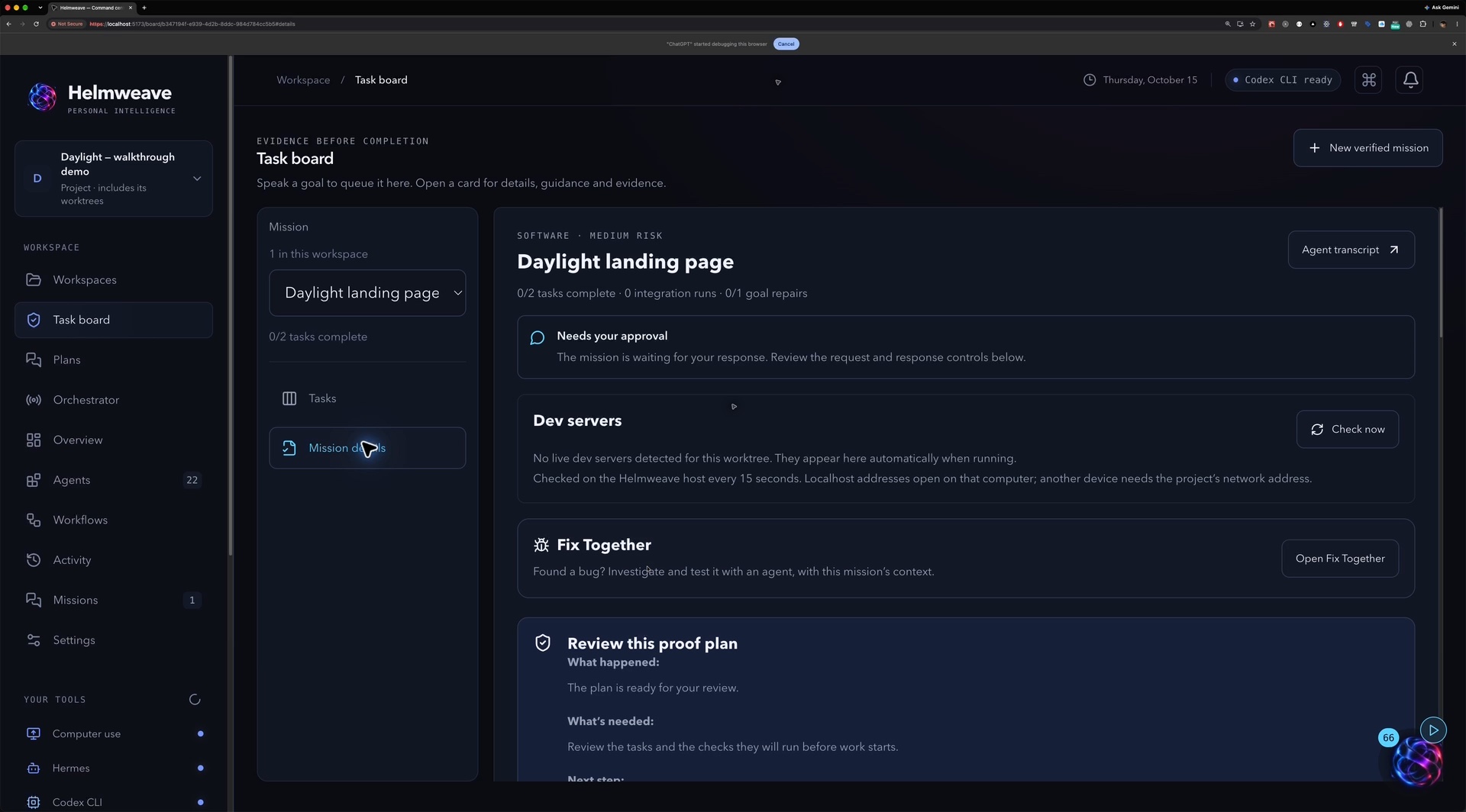
YOUR REVIEW CHECKPOINT
Before implementation, review scope, dependencies, acceptance criteria and proposed checks. In Daylight, Jimmy gave the go-ahead off camera. Your project’s approval behavior depends on its configured policy.
02CONNECT THE TASKS
Keep the work and its checks together.
The implementation plan had two connected tasks. Page and layout covered the semantic sections, design tokens and original product illustration. Interaction, accessibility and preview depended on that page and covered local navigation, keyboard focus, responsive behavior and the dependency-free server.
The plan distinguished source review from rendered observations. The first task’s source-review receipt could support its content and design-implementation claims. It could not establish how the composed page rendered or whether the whole mission was ready.
In the film, tasks appear at 0:20 and Progress at 0:28. Those updates report worker activity; the Evidence view at 0:35 records a check for a particular step. Waiting is condensed in the edit.
YOUR REVIEW CHECKPOINT
Read what a receipt actually checked. Progress messages and an agent’s claim of completion do not stand in for the agreed checks.
03RESOLVE THE BLOCKER
A scoped retry, with the boundary intact.
A local execution restriction stopped the second task. Jimmy authorized a scoped retry for local runtime, preview and evidence recovery. That instruction did not grant new operating-system access or permission to publish.
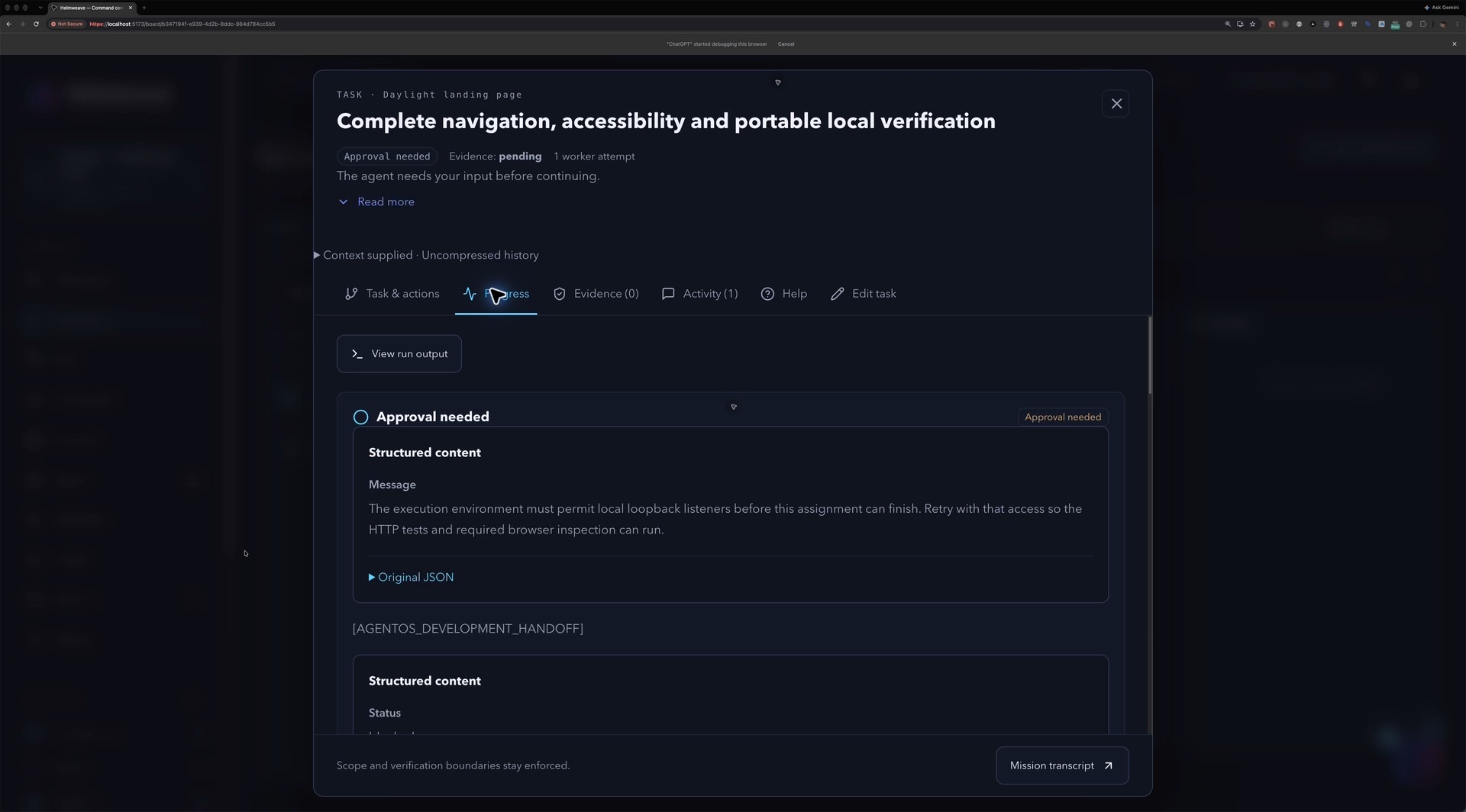
The historical mission was later reopened to recover current preview and verification evidence. That recovery is part of the saved record. No source-code repair is established, and the saved goal repair count is zero. Calling it a code fix would overstate the evidence.
YOUR REVIEW CHECKPOINT
Identify whether the problem is the implementation, the runtime or missing evidence. Resolve the actual blocker and recheck the affected work; an approval cannot supply a missing host permission.
04REVIEW CURRENT EVIDENCE
Check the composed outcome.
After recovery, both tasks were verified, a local preview responded, the current combined goal check passed and the final agent review was accepted. The two focused Node checks covered local preview startup/serving and the complete page through that preview.
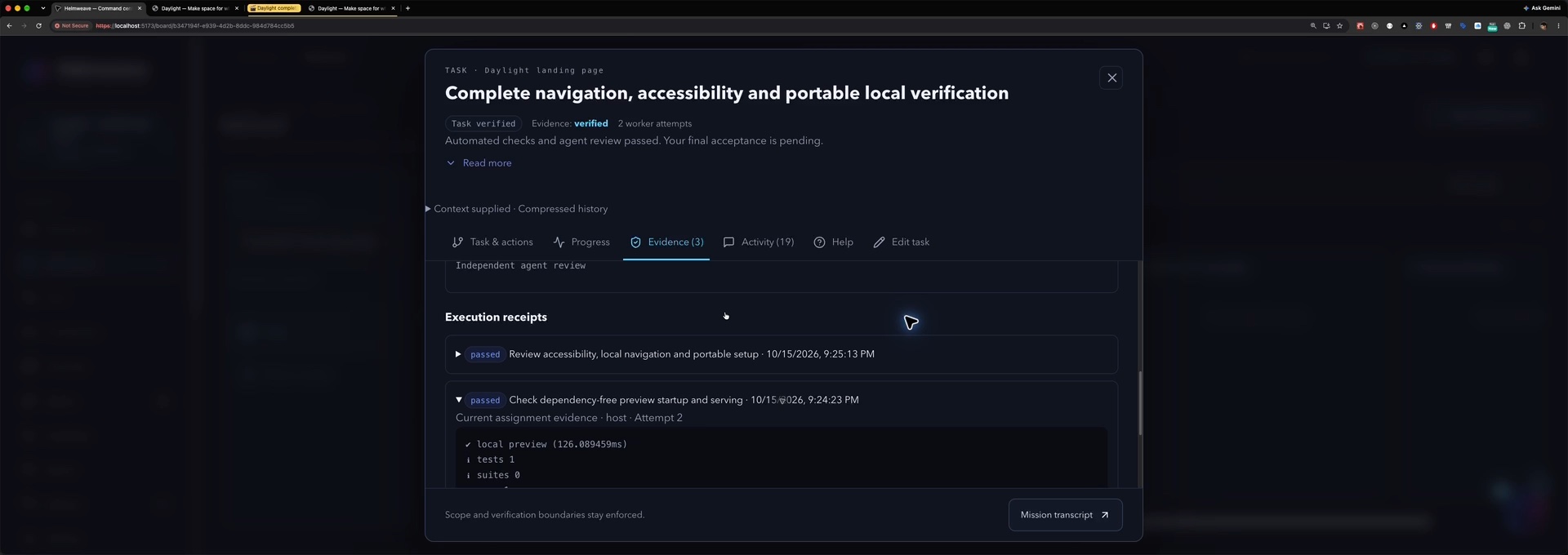
HTTP and source checks cover only their stated assertions. The project documentation explicitly separated rendered mobile/desktop behavior, keyboard navigation, CTA scrolling and reduced motion from those functional checks. Final visual acceptance remained a separate human decision.
YOUR REVIEW CHECKPOINT
Confirm that evidence applies to the current candidate, inspect failures and limitations, and review the actual page. Passing checks support a decision; they do not guarantee correctness.
05INSPECT THE PAGE
Look at what was actually built.
The finished Daylight page used plain HTML and CSS with native anchor navigation, system fonts and an original code-native planning illustration. The CTA stayed on the page. The saved project has no transmitting forms, external assets or client-side JavaScript.
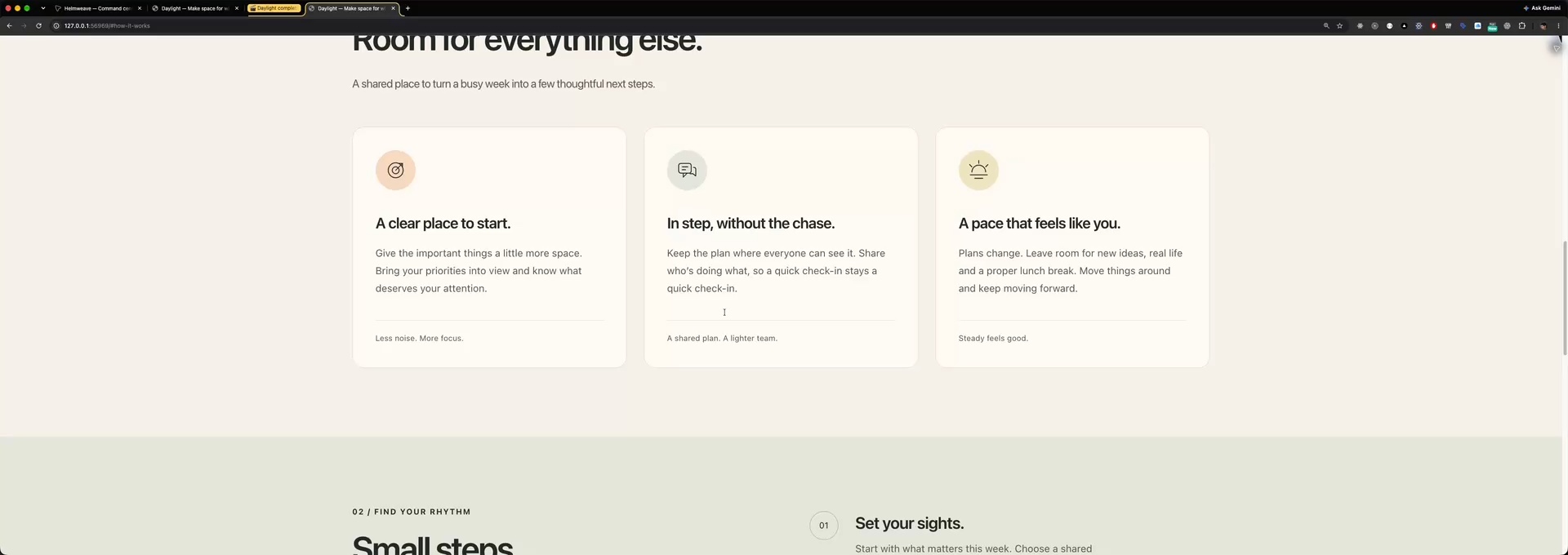
For your own page, inspect both a narrow mobile viewport and a desktop viewport, follow the links, use the keyboard and check the content against your brief. Keep those observations distinct from source-review and command receipts.
YOUR REVIEW CHECKPOINT
Review the page against the requested experience before accepting it. If something is wrong, give scoped feedback and require the relevant evidence again.
06ACCEPT & COMPLETE
Make the final decision explicit.
The recorded ending shows final visual acceptance, the real local commit action and the mission moving to Complete. Human acceptance was recorded separately from the automated checks and final agent review. It was executed with Jimmy’s explicit authorization.
The accepted local commit was 2a76539. The saved completion evidence records two verified tasks, one current goal check passed out of one, and an accepted final agent review. It records no push or deployment.
The film shows the acceptance sequence from 1:08, the retained human decision at 1:19 and the completed board at 1:21. These are historical observations of this mission, not a claim that every mission follows identical settings.
WHAT YOU TAKE AWAY
A local page, with retained evidence
A completed fictional landing page, a saved local commit and retained checks, review and human acceptance. The recorded mission finished on October 16, 2026, at 01:56 UTC.
- Mission
b347194f-e939-4d2b-8ddc-984d784cc5b5- Local commit
2a76539adc0c103e78b11d504bcd9580b3704410- Delivery
- Local only · no push or deployment
This is a real build of a fictional product. The checks establish their recorded scope, and the approval records a human decision. Neither promises a bug-free result.
CONTINUE EXPLORING
Research a decision
Explore whether a customer portal belongs in an existing website or a separate app. Frame the question, compare evidence and review the uncertainty.
Read the next guide